Canva ad publishing just killed the most annoying part of being a marketer. You know exactly what I’m talking about.
You spend an hour designing the perfect Facebook ad in Canva. It looks amazing. You’re proud of it. Then you export it, open Ads Manager, upload it, and… the text is cut off. Or the image ratio is wrong. Or Meta rejects it for some random policy violation.
So you go back to Canva. Fix it. Export again. Upload again. Wait for approval. Repeat.
It’s exhausting, time-wasting, and honestly? Just plain stupid in 2025.
How Canva Ad Publishing Actually Changed Digital Marketing
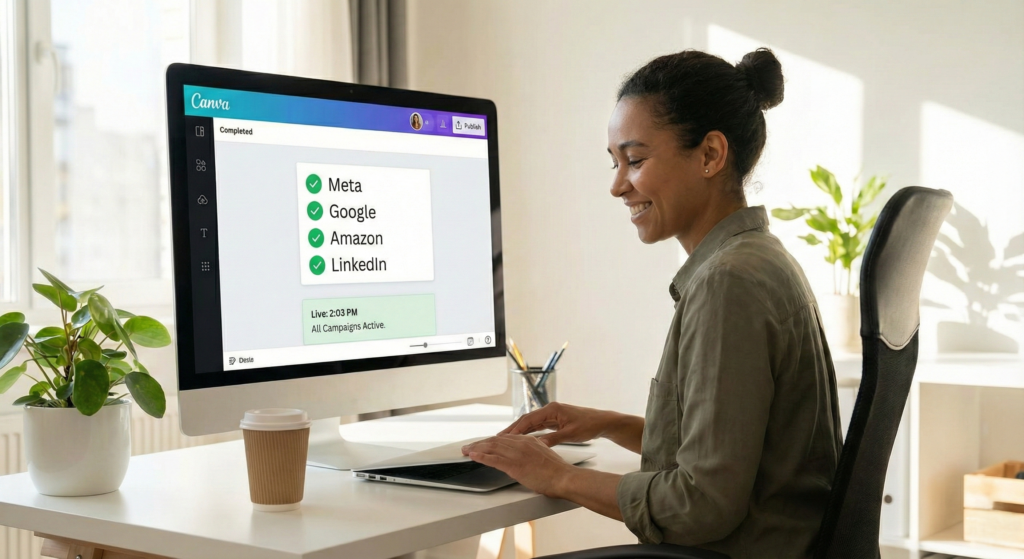
Canva isn’t just a design tool anymore. They partnered with every major advertising platform to eliminate that soul-crushing export-upload cycle we’ve all suffered through.
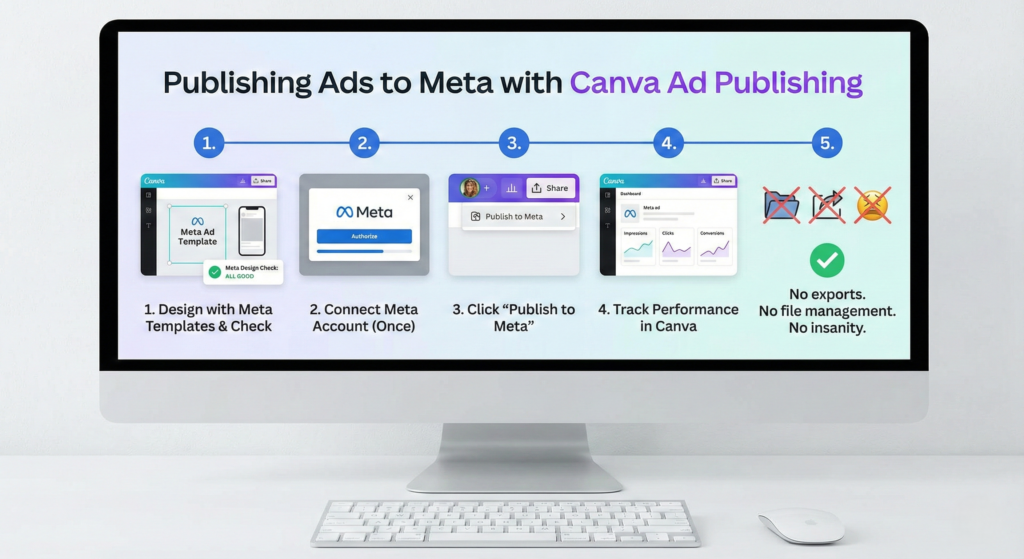
Meta (Facebook & Instagram) Design your ad, connect your Meta account once, and publish directly to Facebook and Instagram without leaving Canva. One click. Live ad. Done.
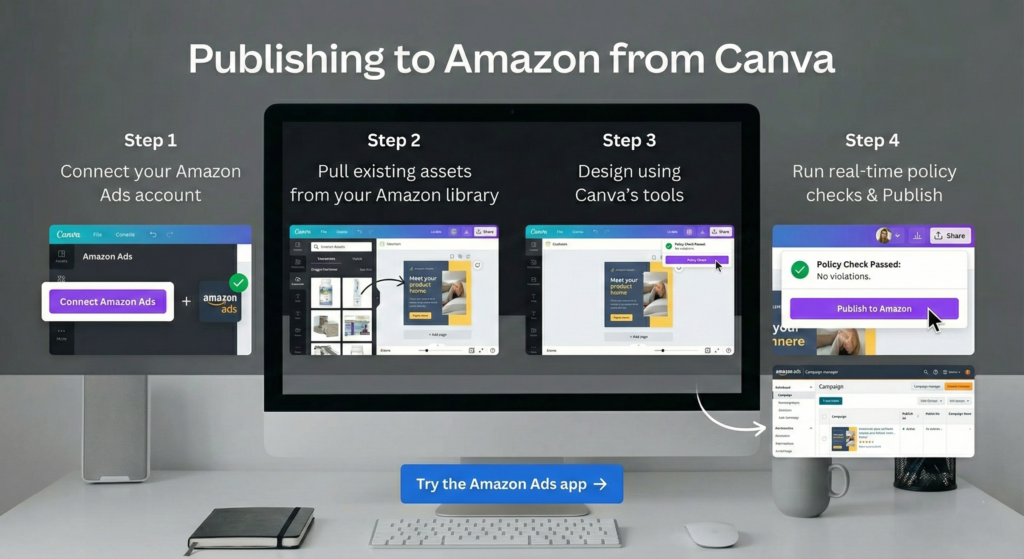
Amazon Ads The Amazon Ads app inside Canva lets you pull existing assets, design with all of Canva’s tools, run real time policy checks, and publish back to Amazon.
The Real Game Changer: Canva Grow (It’s Actually Impressive)
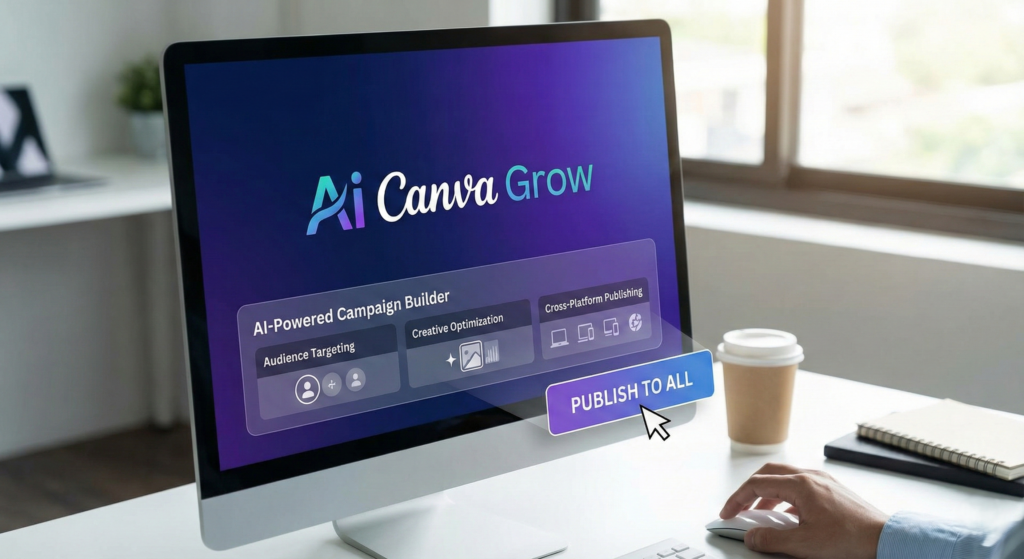
Here’s where Canva ad publishing gets interesting. They didn’t just add publish buttons, they built an entire AI-powered marketing platform called Canva Grow.
Canva Real Game Changer
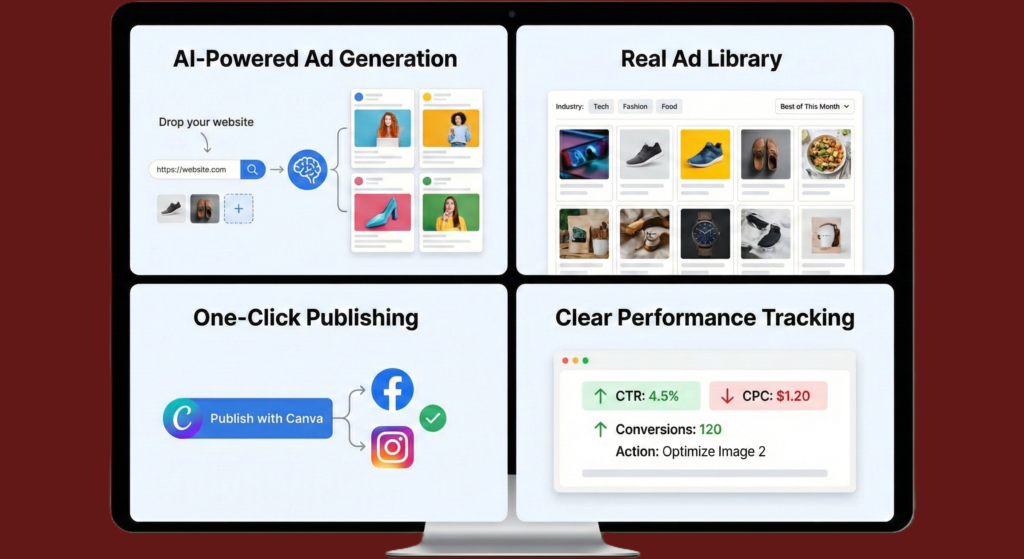
What Canva Grow Actually Does
AI That Generates Ads for You Drop in your website URL and some product photos. The AI generates ready-to-launch ads based on your brand, audience, and what’s actually working in your industry right now.
Real Ads from Real Brands Browse thousands of high-performing ads from successful companies. Filter by your industry to see what’s crushing it in your niche this month.
Step 1: Design your ad using Meta’s templates (they’re already the right size) Step 2: Use the Meta Design Check app to catch issues before publishing Step 3: Connect your Meta account (you only do this once) Step 4: Click “Publish to Meta” right from Canva Step 5: Track performance without leaving Canva
No exports. No file management. No insanity.
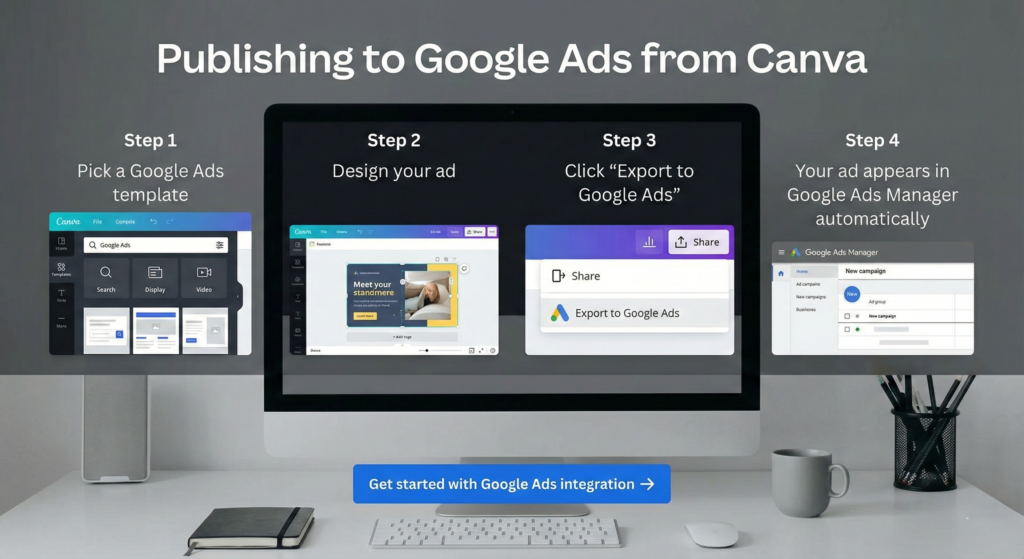
Publishing to Google Ads
Publishing to Google Ads
Step 1: Pick a Google Ads template (all the right dimensions built in) Step 2: Design your ad Step 3: Click “Export to Google Ads” Step 4: Your ad appears in Google Ads Manager automatically
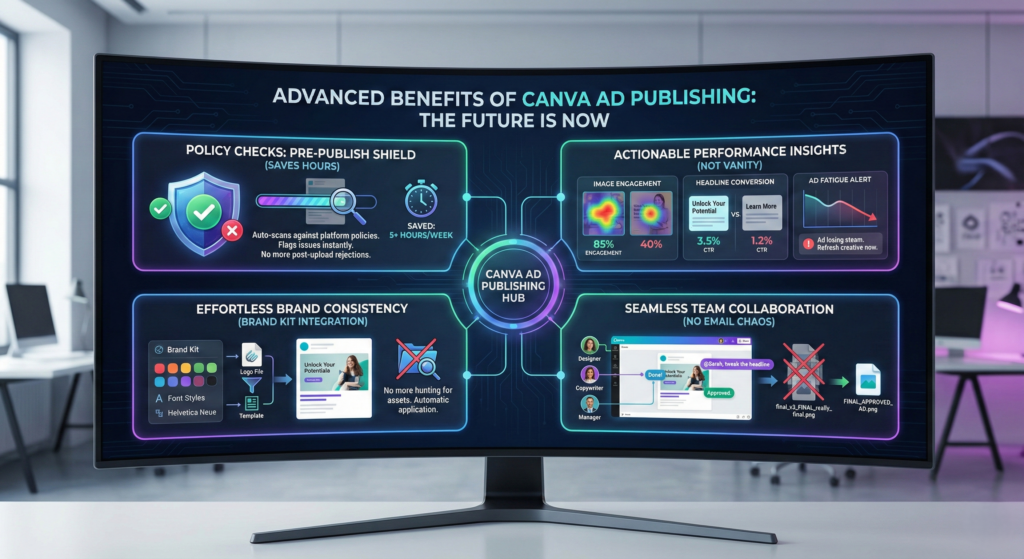
With Brand Kit integration, every ad automatically uses your correct fonts, colors, and logos. No more hunting through folders for the right logo file.
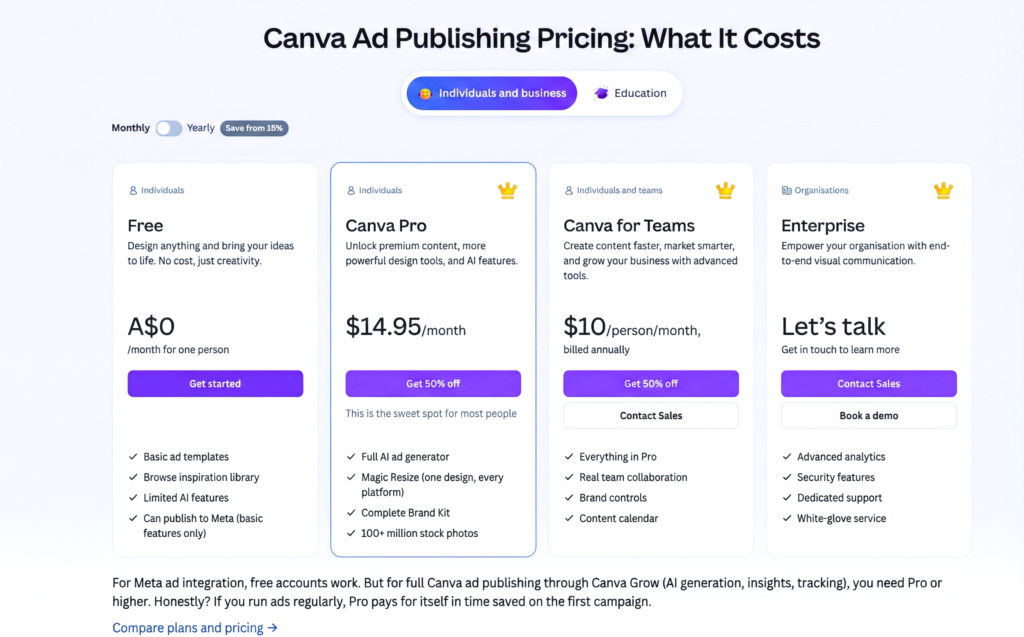
Canva for Teams ($10/person/month, billed annually):
Everything in Pro
Real team collaboration
Brand controls
Content calendar
Enterprise (Custom Pricing):
Advanced analytics
Security features
Dedicated support
White-glove service
For Meta ad integration, free accounts work. But for full Canva ad publishing through Canva Grow (AI generation, insights, tracking), you need Pro or higher.
Honestly? If you run ads regularly, Pro pays for itself in time saved on the first campaign.
“Being a small team with not much money, it’s great to have Canva. It helps us do marketing better and cheaper. We can now stand up to bigger companies.”, Lucy, Co-Founder of StartupX
Is Canva Ad Publishing Worth It? (Honest Review)
You’ll Love It If:
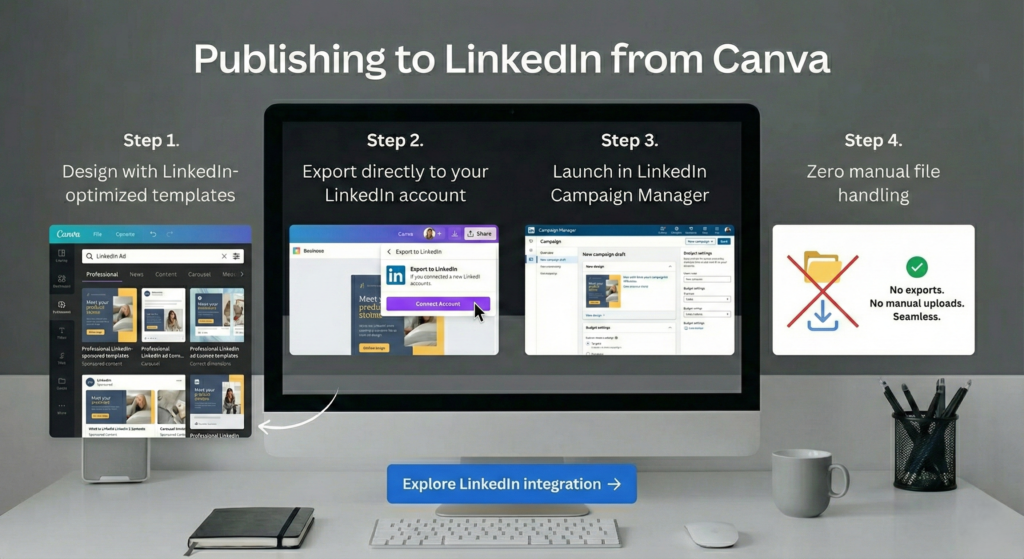
✅ You’re sick of the export-upload-repeat nightmare ✅ You run ads on Meta, Google, Amazon, or LinkedIn ✅ You need variations of ads quickly ✅ You want actual data on what works ✅ You’re a small team without a full-time designer ✅ Your time is worth more than $15/month
Skip It If:
❌ You only create 1-2 ads per month ❌ You love your current workflow (no judgment) ❌ You don’t advertise on these platforms ❌ You need hyper-advanced design features (use Adobe) ❌ You’re a massive agency with custom tools
The Reality Check:
For most small businesses, these integrations save genuine hours. The old download-upload-check-fix-reupload cycle is dead with Canva ad publishing.
Perfect? No. But way better than before? Absolutely.
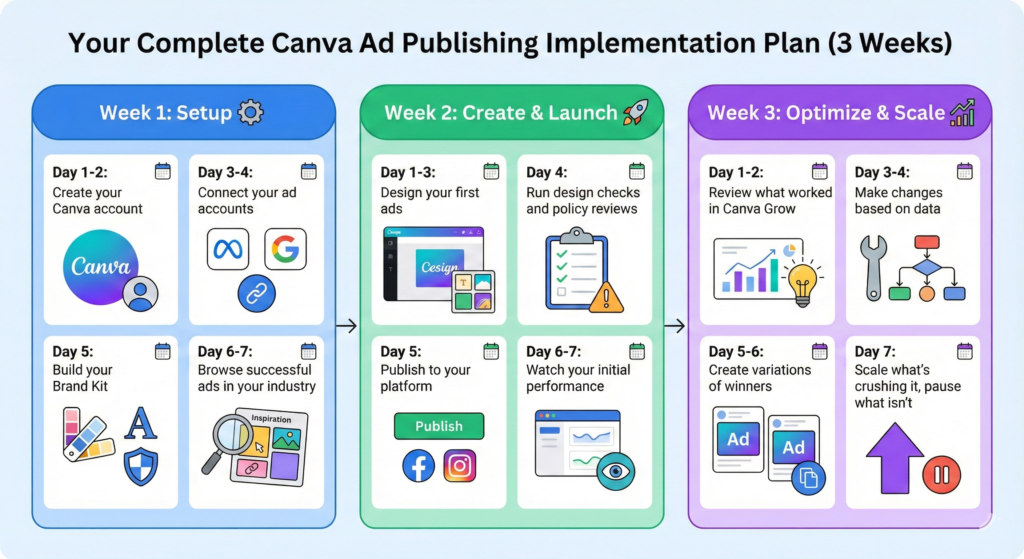
Your Complete Canva Ad Publishing Implementation Plan (3 Weeks)
Canva Ad Publishing Implementation Plan (3 Weeks)
Week 1: Setup
Day 1-2:Create your Canva account (start free, upgrade when you’re ready) Day 3-4: Connect your ad accounts (one-time setup for each platform) Day 5: Build your Brand Kit (logos, colors, fonts, do this once, use forever) Day 6-7: Browse successful ads in your industry for inspiration
Week 2: Create & Launch
Day 1-3: Design your first ads with platform templates Day 4: Run design checks and policy reviews Day 5: Publish to your platform (the moment of truth) Day 6-7: Watch your initial performance
Week 3: Optimize & Scale
Day 1-2: Review what worked in Canva Grow Day 3-4: Make changes based on data Day 5-6: Create variations of winners Day 7: Scale what’s crushing it, pause what isn’t
Canva Ad Publishing FAQ (Common Questions Answered)
Canva Ad Publishing FAQ (Common Questions Answered)
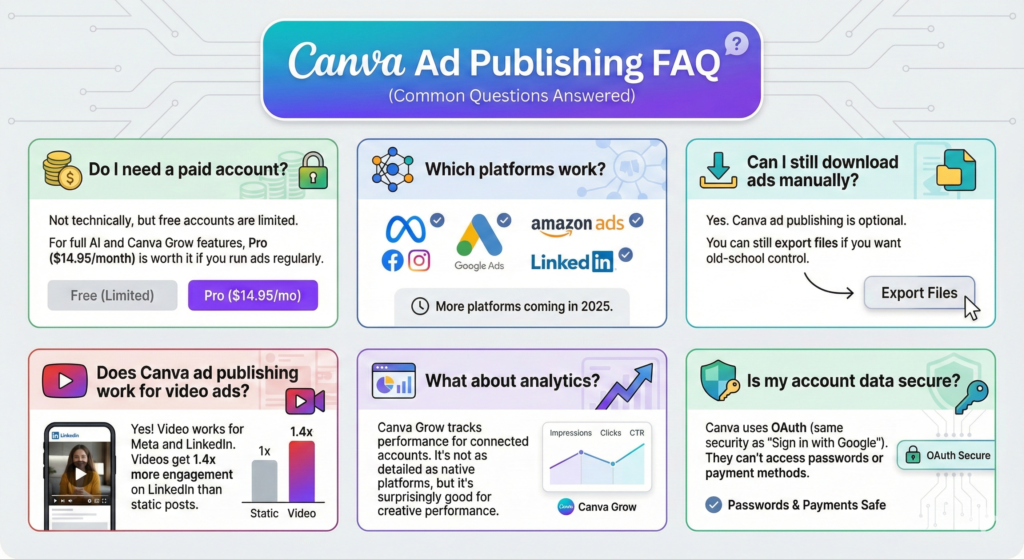
Do I need a paid account? Not technically, but free accounts are limited. For full AI and Canva Grow features, Pro ($14.95/month) is worth it if you run ads regularly.
Which platforms work? Right now: Meta (Facebook/Instagram), Google Ads, Amazon Ads, LinkedIn. More platforms coming in 2025.
Can I still download ads manually? Yes. Canva ad publishing is optional. You can still export files if you want old-school control.
What about analytics? Canva Grow tracks performance for connected accounts. It’s not as detailed as native platforms, but it’s surprisingly good for creative performance.
Is my account data secure? Canva uses OAuth (same security as “Sign in with Google”). They can’t access passwords or payment methods.
The Bottom Line: Why Canva Ad Publishing Changes Everything
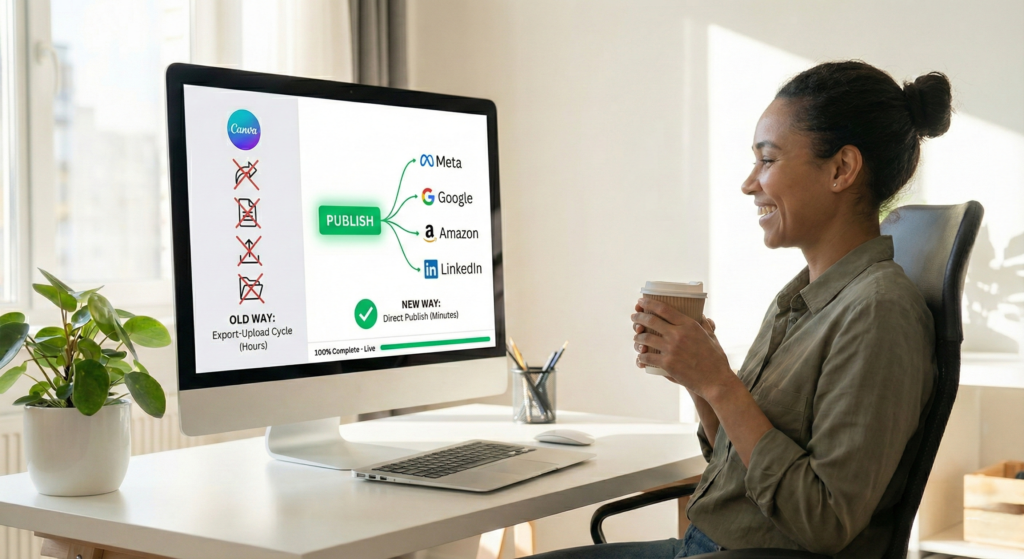
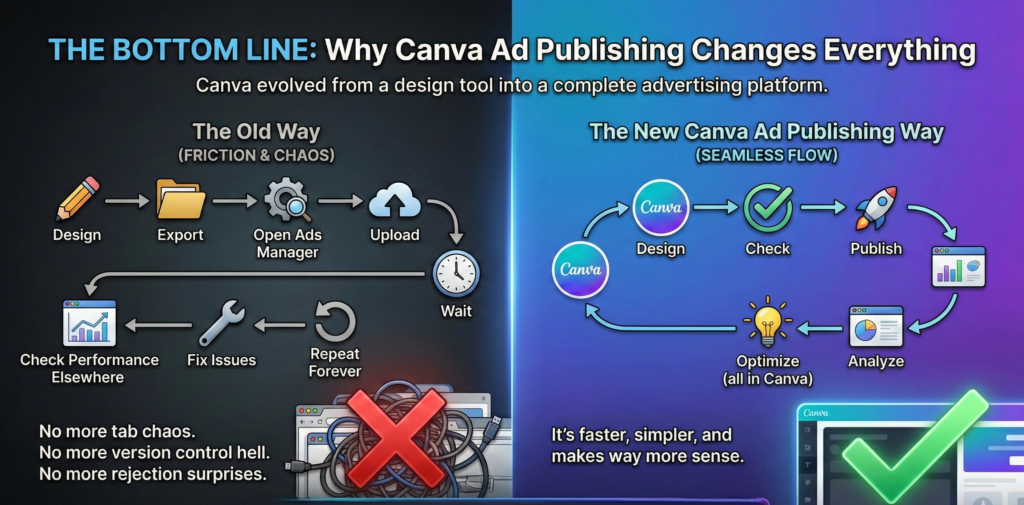
The old way: Design → Export → Open ads manager → Upload → Wait → Check performance elsewhere → Fix issues → Repeat forever
The new Canva ad publishing way: Design → Check → Publish → Analyze → Optimize (all in Canva)
Why Canva Ad Publishing Changes Everything
That’s not a small improvement. That’s a fundamental shift in how small teams advertise.
For solopreneurs and small teams juggling multiple platforms, Canva ad publishing is genuinely game-changing. No more tab chaos. No more version control hell. No more rejection surprises.
Ready to stop wasting time on manual uploads?Start with Canva’s free plan, connect your ad accounts, and see how Canva ad publishing transforms your workflow.
Your future self the one not stuck in download/upload hell will seriously thank you.
Canva ad publishing, publish ads from Canva, Canva advertising, Canva Grow, Meta ads Canva, Google Ads integration, LinkedIn advertising, Amazon ads Canva